
To do a bulk download, 2 or more Items at once:
Step 1 - Search  the Items you want;
Step 2 - Click the checkbox of each Item that you want to download, you can select up to 10;
Step 3 - The selected Items will show in the lower right corner of the screen;
Step 4 - Click Download  ;
;
Step 5 - If interested, add a name for the set of Items. Otherwise the set will automatically be named: Company_Date_Time_Region.
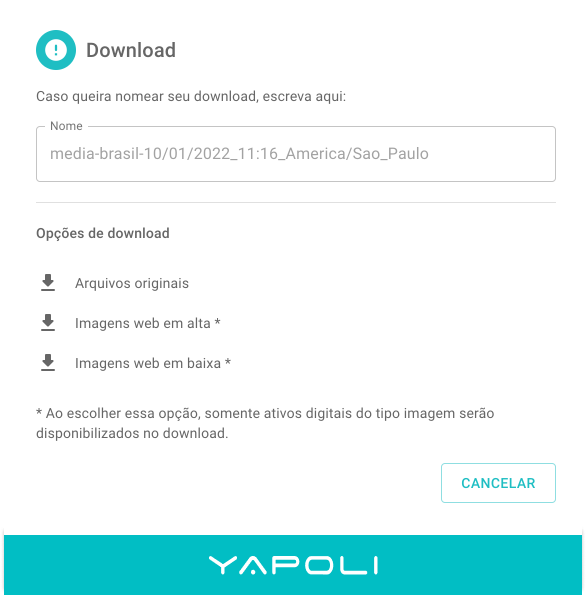
Step 6 - Select the image size you prefer: original size, high resolution or low resolution.
Step 7 - A message will pop up at the bottom of the screen with the following information:
"Download in progress. You will be notified when is completed Aparecerá uma mensagem embaixo na tela com a seguinte informação: "Download em andamento. Você será notificado quando concluído e poderá baixar em notificações."
Comments
0 comments
Article is closed for comments.