
To create a Region it is necessary to follow the steps below:
Step 1 - Access the Settings  in the upper right corner of the platform;
Step 2 - Click on the "Regions" page;
Step 3 - Go to Include  Region in the lower right corner of the screen;
Step 4 - Fill in the required fields: Region Name, Default Domain, Currency, Language and Time Zone;
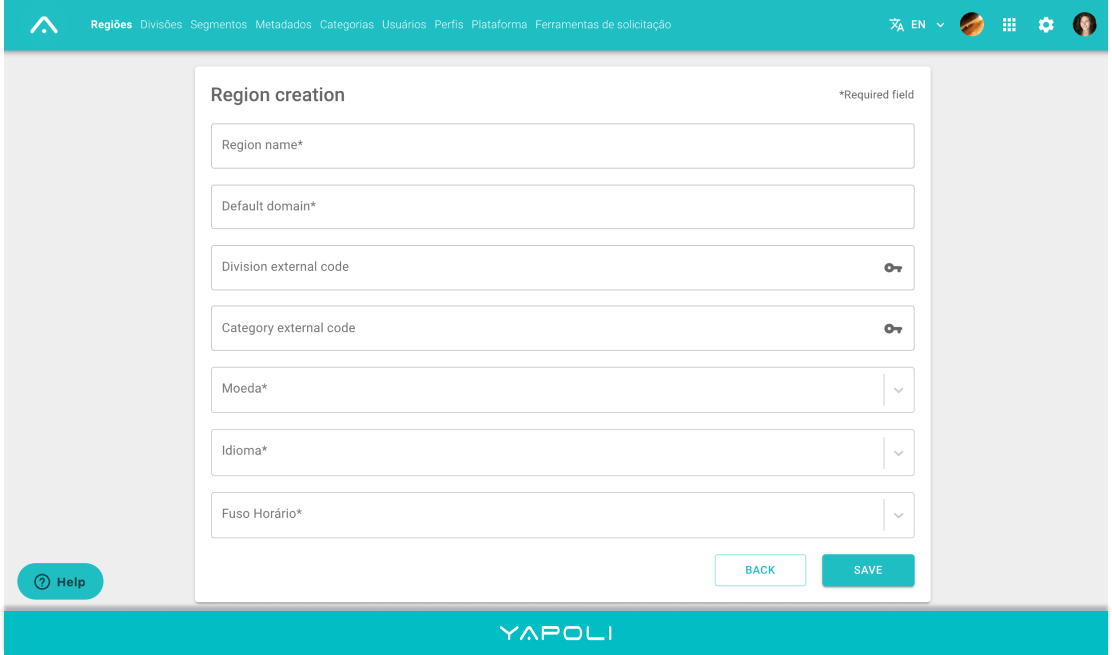
Step 5 - Save.
Comments
0 comments
Article is closed for comments.