
To increase the security of your digital assets, the DAM allows administrators to set up a limit of attempts to access the platform, being able to block the access of the already registered user after excessive login attempts, which can mitigate attacks on the platform.
To set up the login attempt limit, follow the steps below:
Step 1 - Click on Settings in the upper right corner of the screen;
Step 2 - On the top bar click on "Platform";
Step 3 - Click on the Security tab;
The following possibilities will appear:
- Do not block
- Block after 3 attempts
- Block after 4 attempts
- Block after 5 attempts
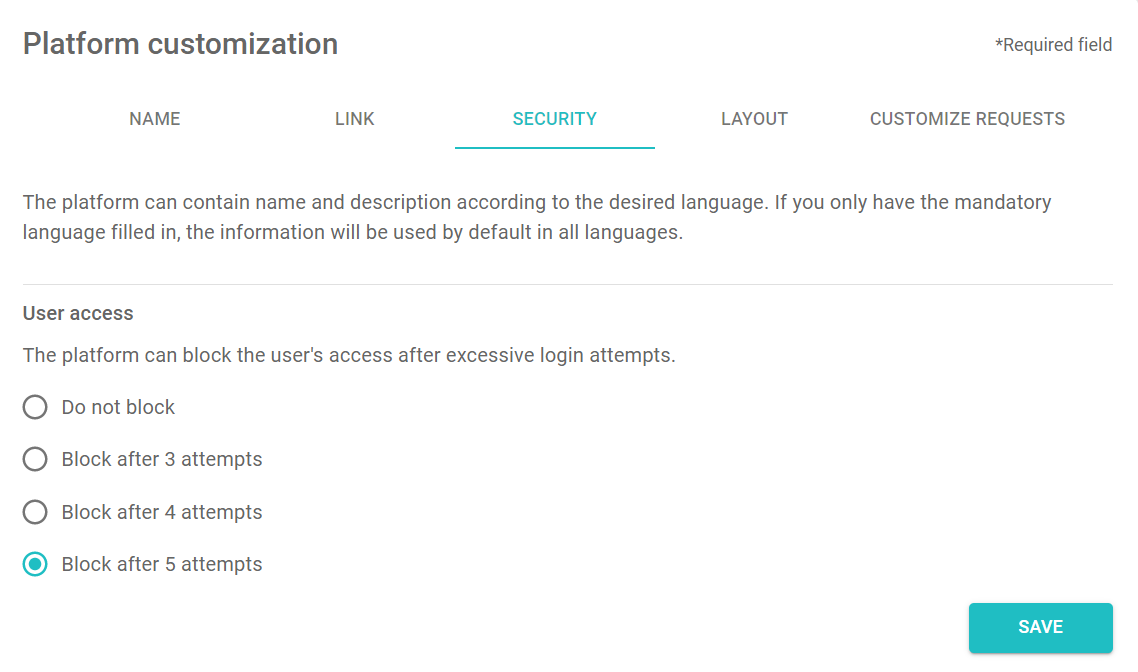
Step 4 - Choose the option that best fits your company's security policy;
Step 5 - Click Save.
Important: This setting is customized per client, therefore, once configured, it is applied to all users regardless of the profile in which they are registered.
Comments
0 comments
Please sign in to leave a comment.